
Import Design Files and Merge
- In the left sidebar, click on the upward arrow symbol (import icon) to import the designs into Meshery.
- In the modal that appears:
- Enter a name for your design in the "Design File Name" field (e.g.
mysql-deployment). - Select
Kubernetes Manifestfrom the "Design Type" dropdown menu.
- Enter a name for your design in the "Design File Name" field (e.g.
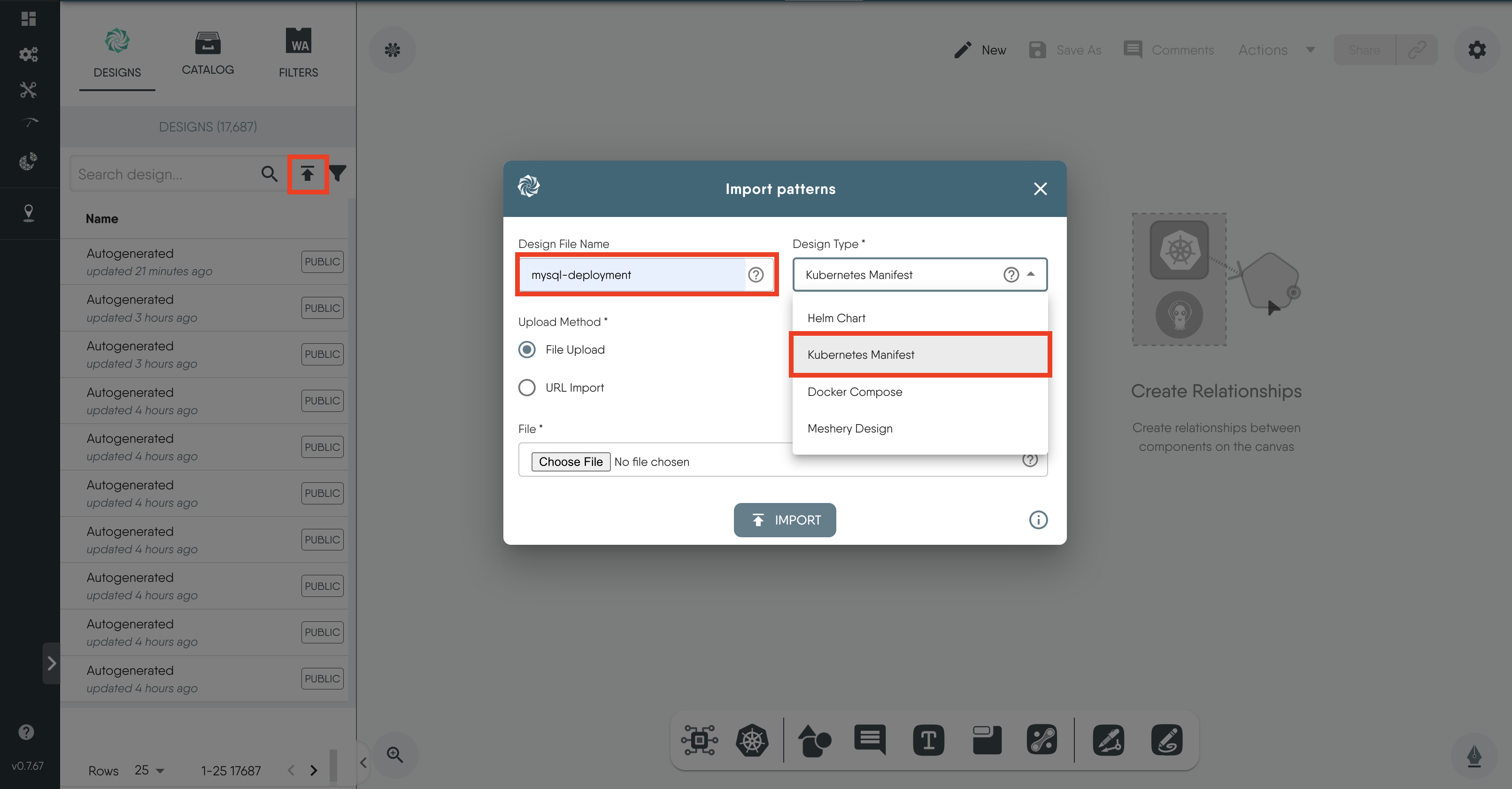
Figure: Import modal
-
Choose
File Uploadfor the upload method, and select the file you just downloaded. -
Then, click on
Import.
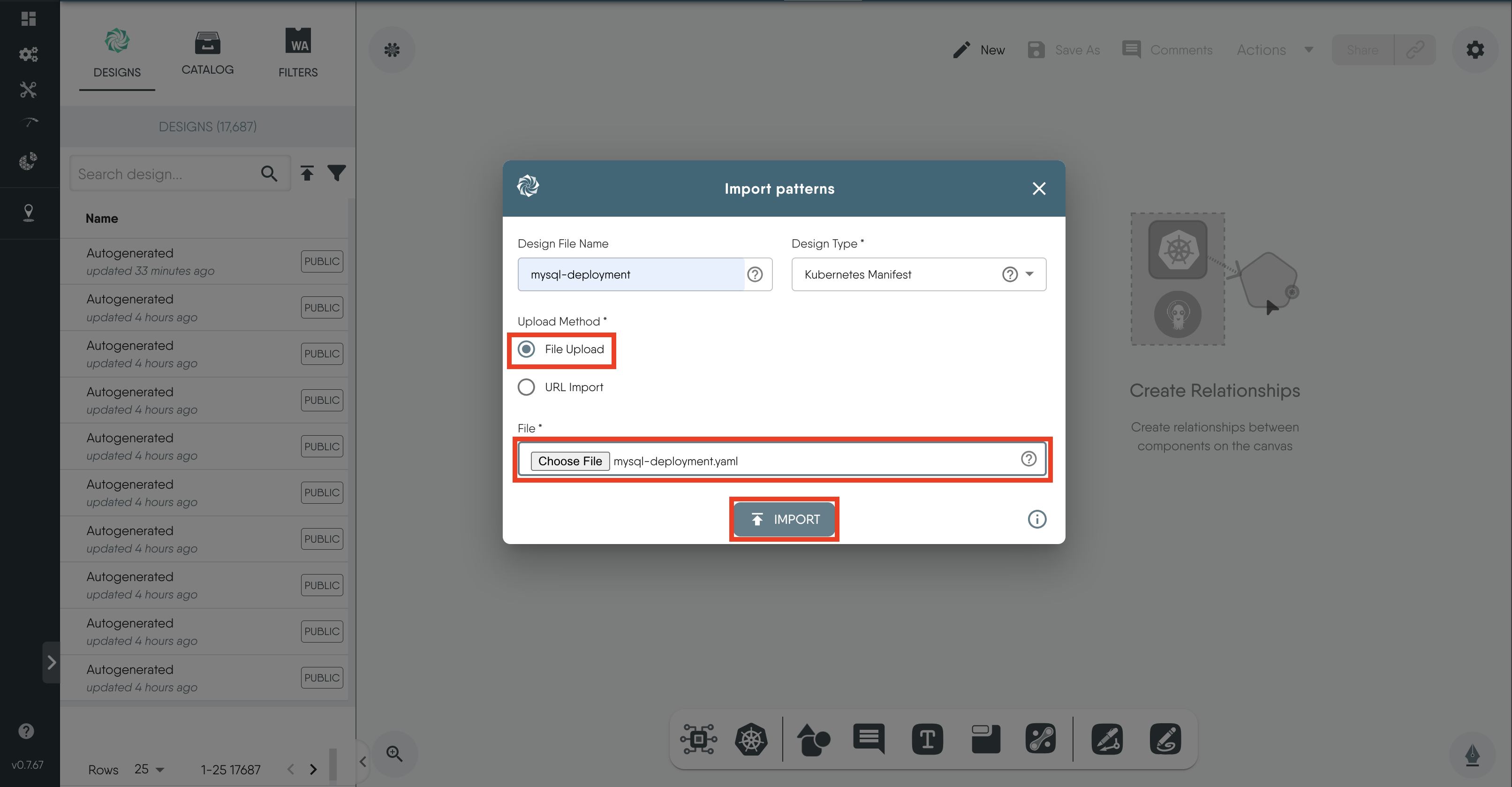
Figure: Import mysql-deployment
-
Under the "Designs" tab, you will see the successfully imported
mysql-deploymentdesign.Clicking on the names of the designs on the
Designstab displays the visual representations of the various Kubernetes resources and their relationships on the canvas.
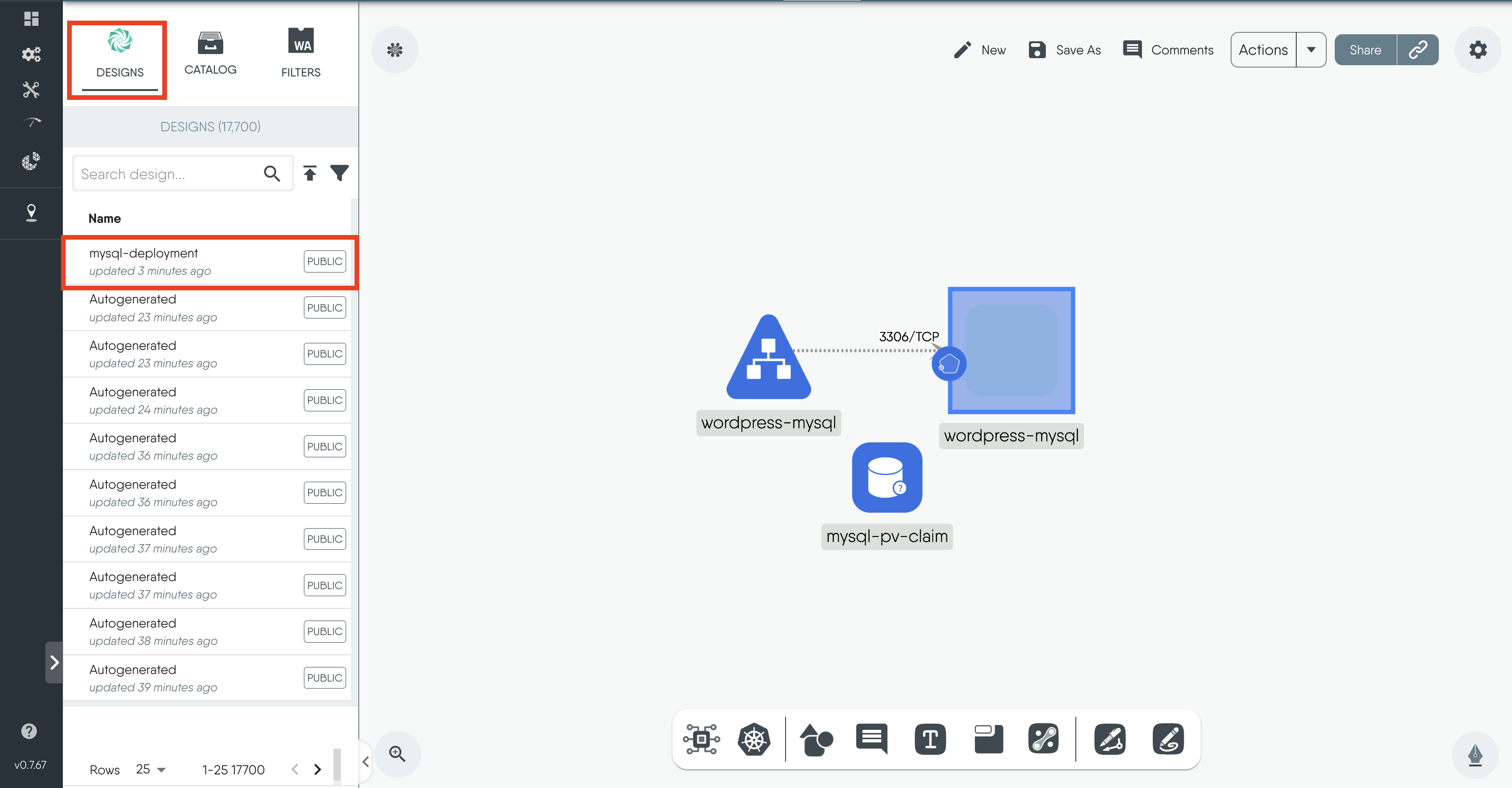
Figure: Imported designs on canvas
- Now, follow the same steps to import the
wordpress-deploymentfile.
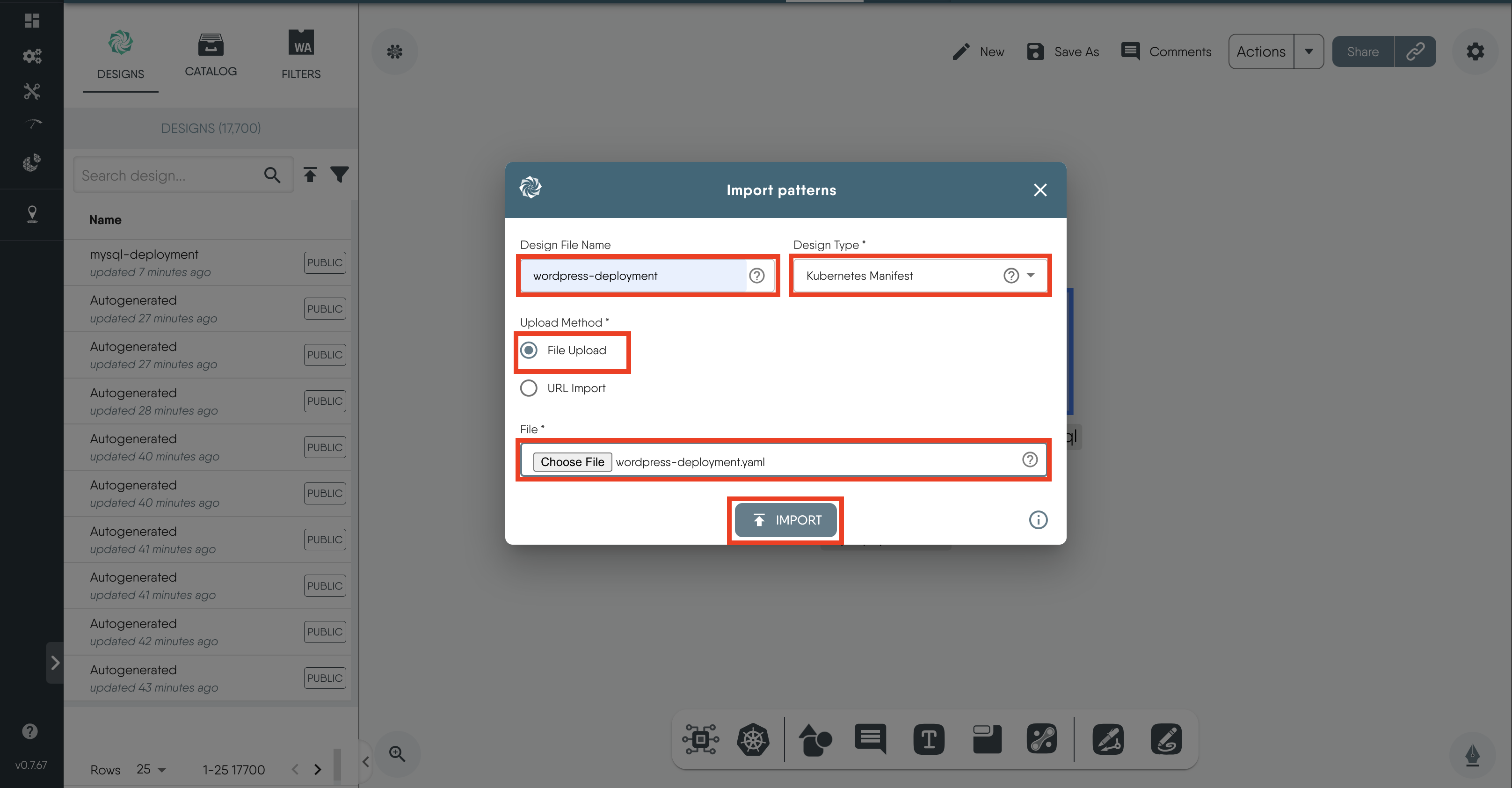
Figure: wordpress-deployment
Merging the Designs
Next, you will combine the WordPress and MySQL designs into a single design file. By merging these designs, you can manage and deploy both resources together.
To merge the MySQL deployment design with the WordPress deployment design:
- Click and drag the
mysql-deploymentdesign from the left panel and drop it onto the design canvas of thewordpress-deployment.
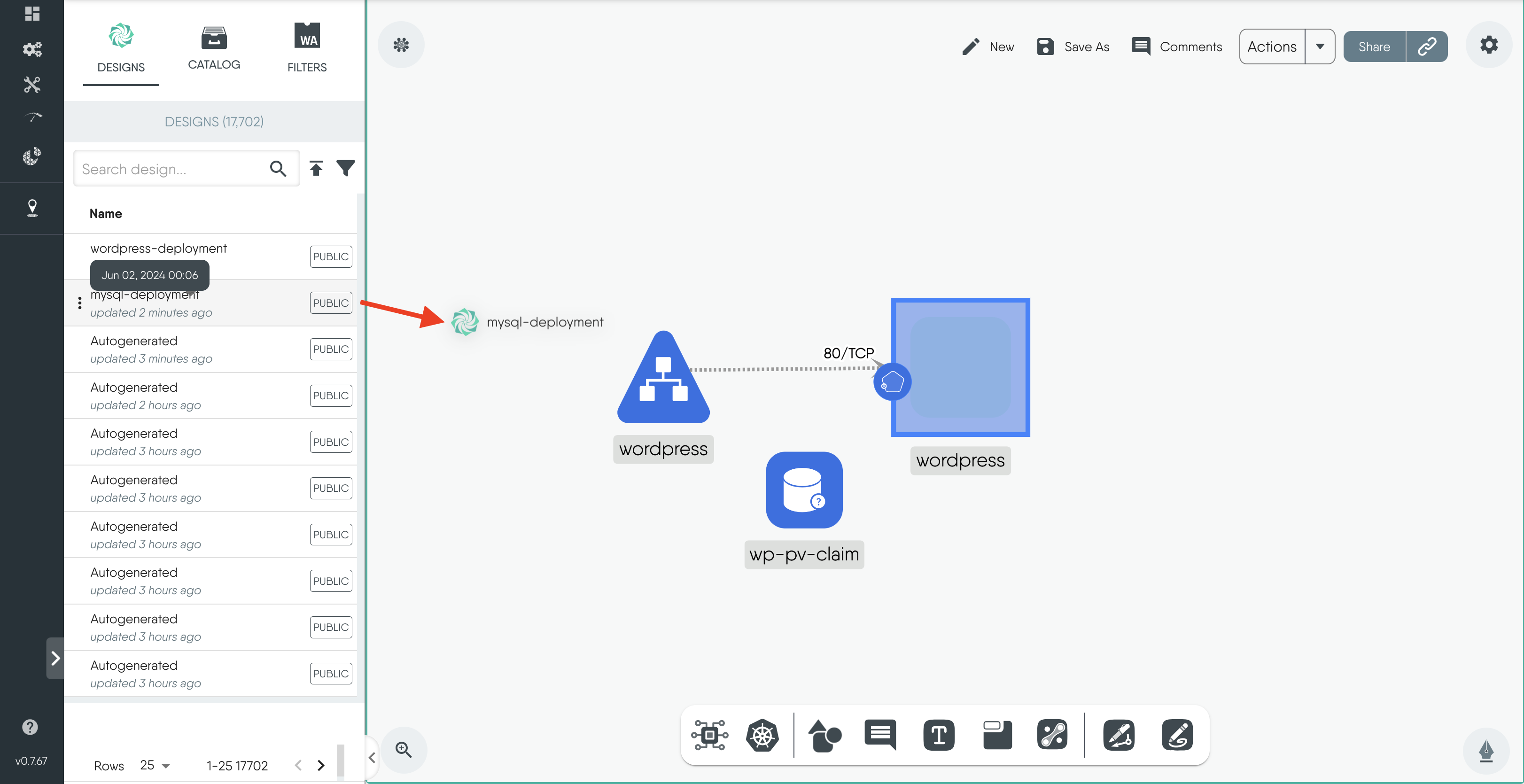
Figure: drag and drop design
- This action will open a merge modal asking if you want to merge the design, Click on
Merge.
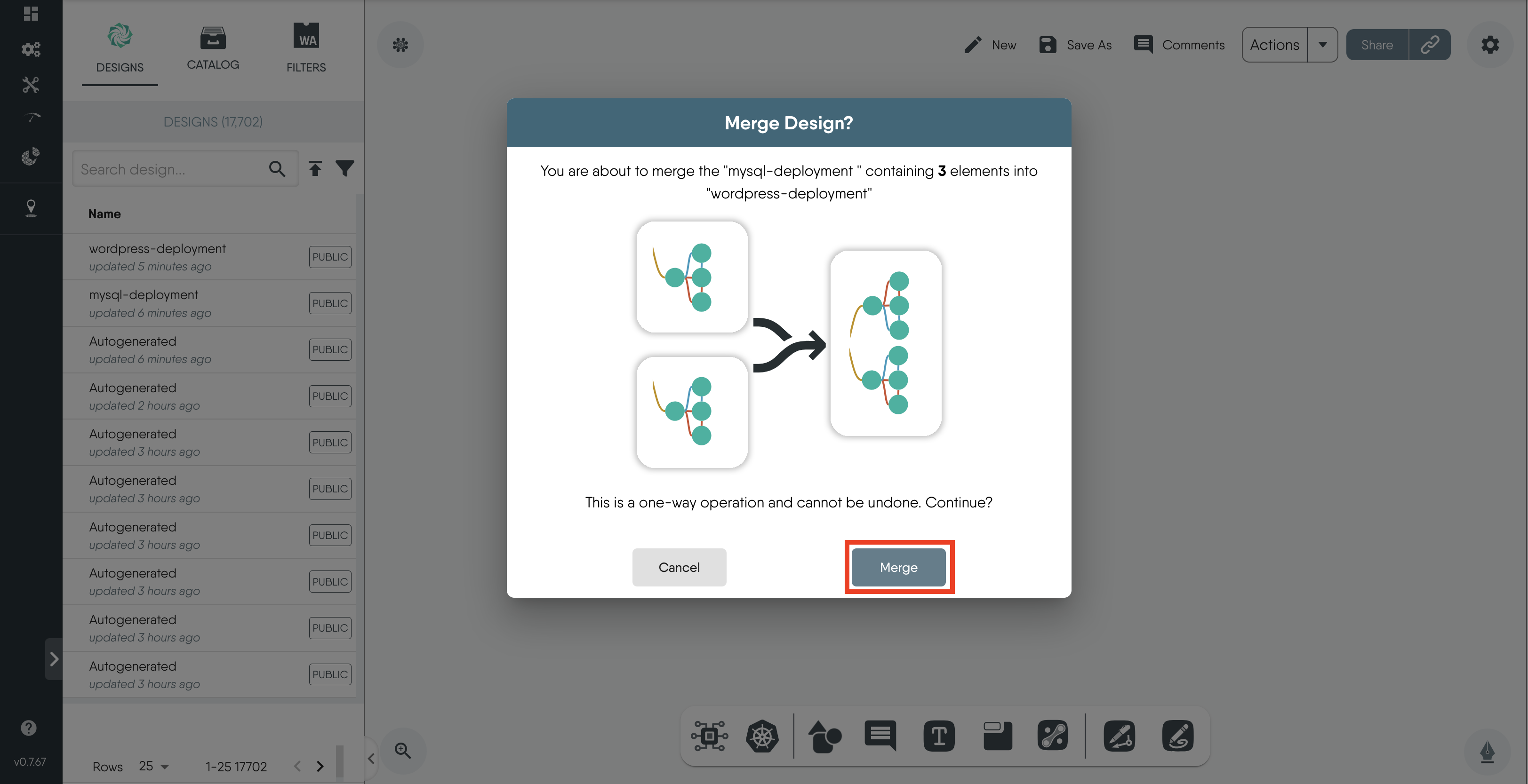
Figure: merge modal
- Click on
Save Asand enterwordpress-mysql-deploymentas the new file name.
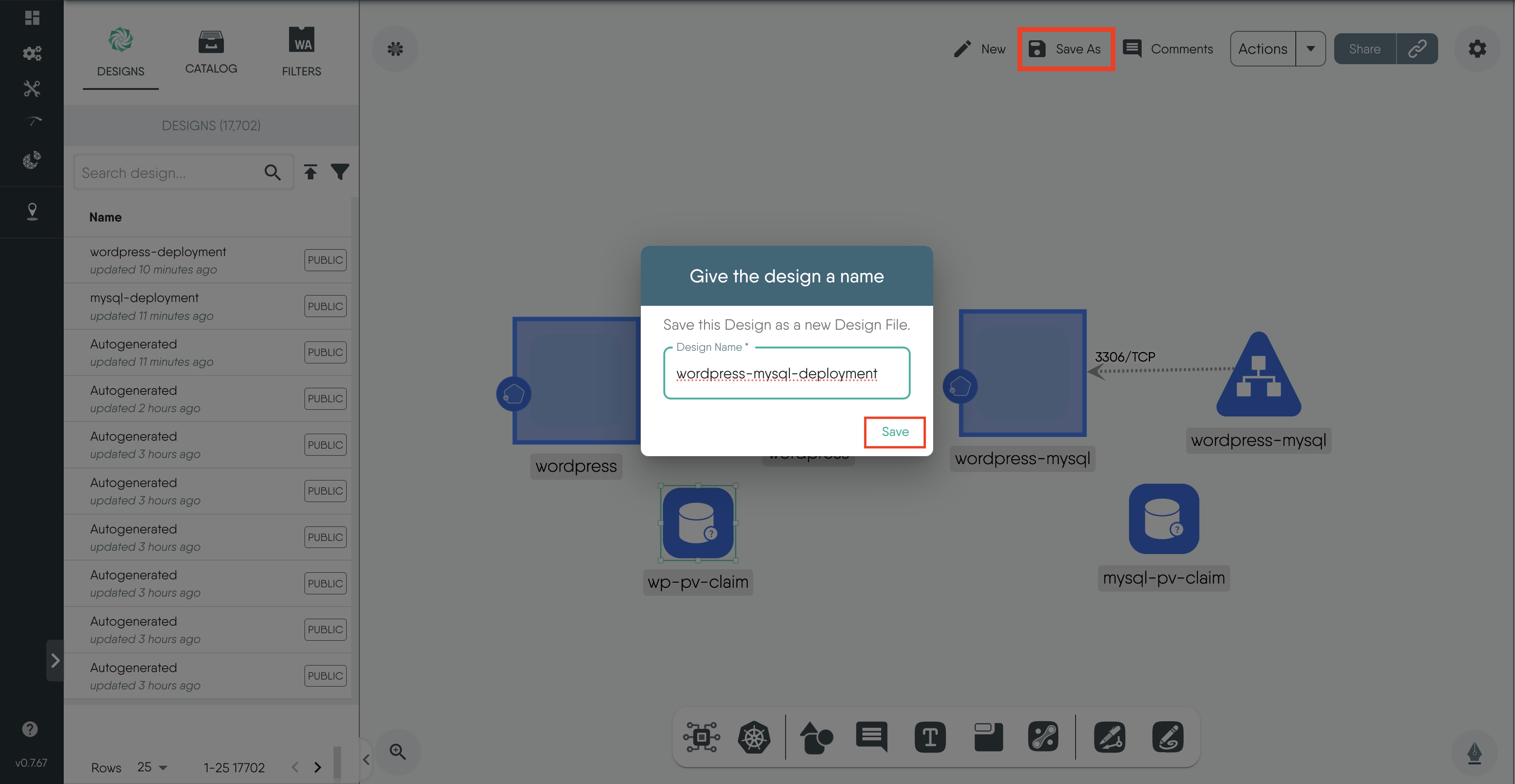
Figure: save design


