
WebAssembly and intelligent data planes
In this lab, you will use the sample application Image Hub. This version of the Image Hub filter has been simplified for your lab. To self-study deeper functionality, try the other version of the Image Hub filter that is available in the Image Hub repo.
Deploy Sample Application
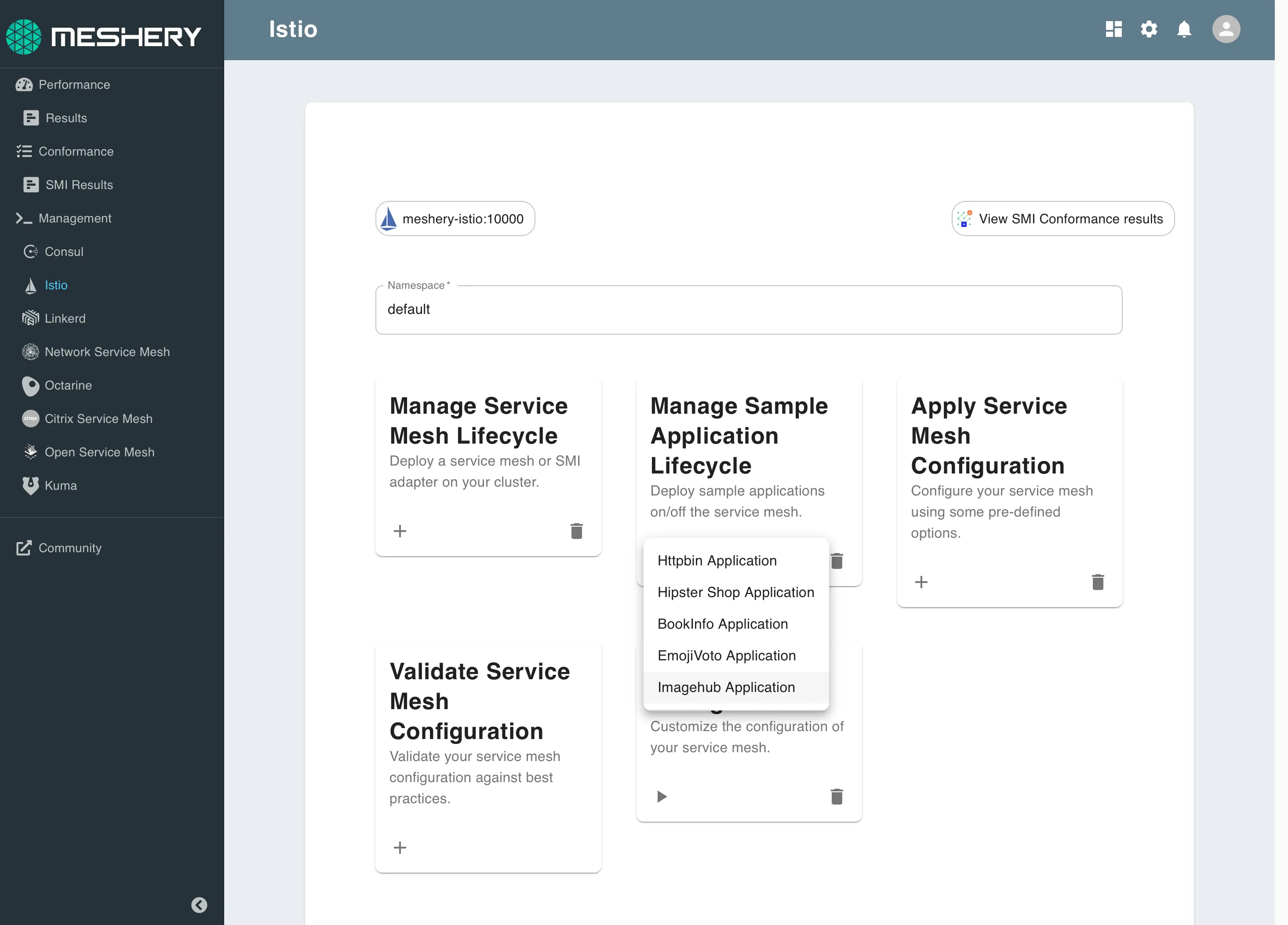
Using Meshery, select Istio from the Management menu.
In the Istio management page:
- Type default into the namespace field.
- Click the (+) icon on the Manage Sample Application Lifecycle card and select Image Hub Application to install the latest version of Image Hub
Load the filter
Next, load the custom Envoy filter. This filter is written in Rust and is compiled against WebAssembly as it's target runtime.
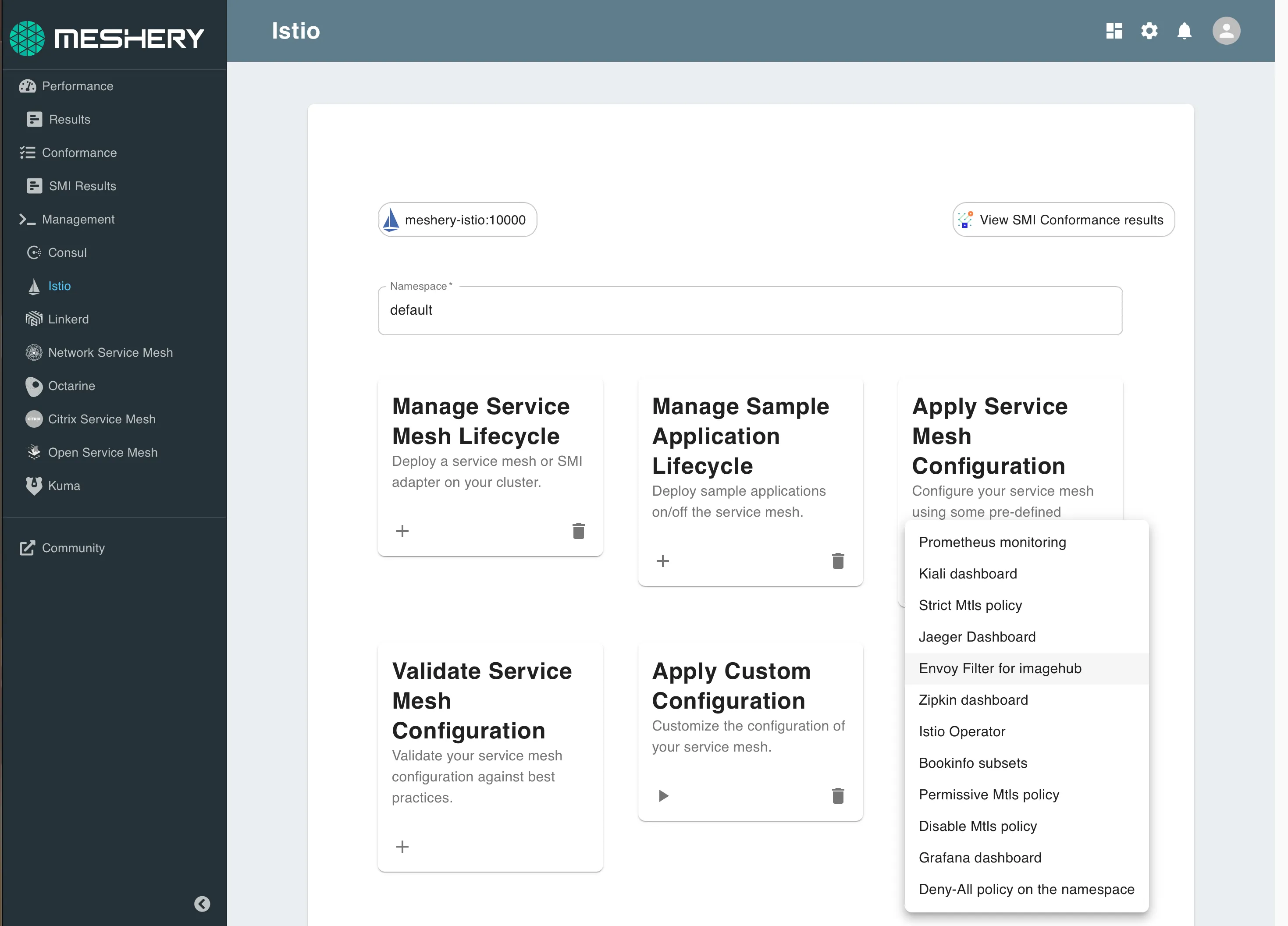
Using Meshery, select Istio from the Management menu.
In the Istio management page:
- Type default into the namespace field.
- Click the (+) icon on the Apply Service Mesh Configuration card and select Envoy Filter for Image Hub to deploy the custom filter.
Send traffic
Analyze behavior
Alternative, manual installation steps are provided for reference below. No need to execute these if you have performed the steps above.
Manually deploy the Image Hub filter.
Manually patch the Image Hub Deployment.
A future version of Meshery will allow you to deploy any filter from the wasm-filters repo. PR the repo to upload your custom filter and have Meshery deploy it.


