

Traffic Splitting using SMI and Linkerd
How Linkerd handles traffic splitting
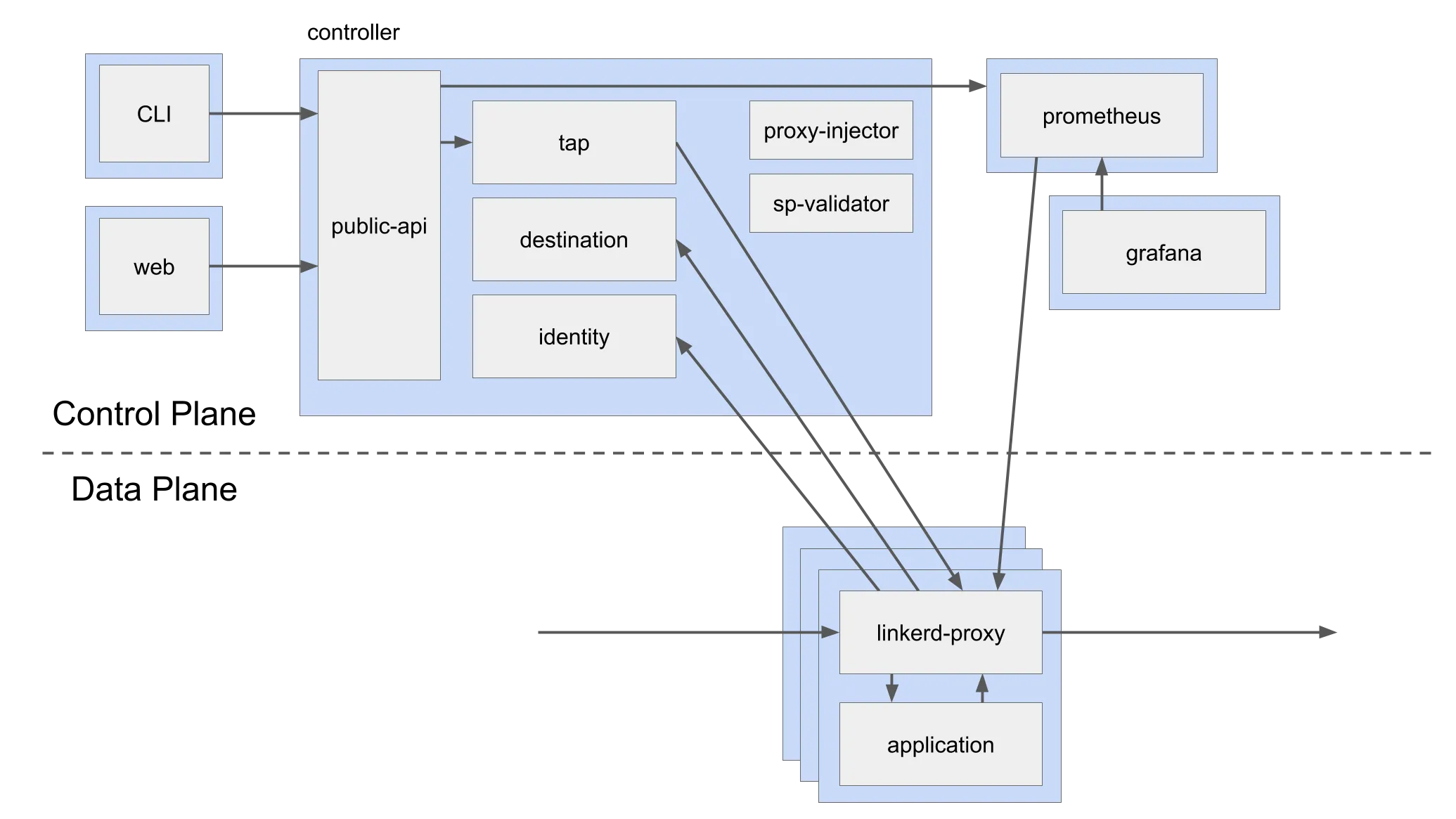
The destination component of the control plane looks for changes in configuration of linkerd (actualized as Kubernetes Custom Resource Definitions) and afterward pushes the right config for
proxies to follow. As opposed to presenting its own configuration format for traffic splitting, Linkerd follows the SMI spec, which plans to give a brought together, summed up setup model for service meshes (simply like ingress, CRI, and so on in Kubernetes).
Deploying sample application
We will be deploying istio's bookinfo application for this part of the demo
Use meshery to deploy the bookinfo application :
- In Meshery, navigate to the Linkerd adapter's management page from the left nav menu.
- On the Linkerd adapter's management page, please enter
defaultin theNamespacefield. - Then, click the (+) icon on the
Sample Applicationcard and selectBookinfo Applicationfrom the list.
OR...
- Download the ./sample/bookinfo.yaml
- Inject linkerd into the sample application.
This will give you the if the Linkerd injection was successful or not.
You will see the following services running in your cluster
You can access the producpage by port-forwarding
Checking localhost:9080 would show you a product page, with a list of reviews on the right. Those reviews are being loaded from the reviews service which is backed by the 3 reviews pods. The requests to the reviews service are randomly sent to one of the 3 review pods, as they represent different versions of this service.
The three different versions provide different output:
- v1 with No stars
- v2 with Orange stars
- v3 with Black stars
We will have reviews service only split traffic between v1 and v2 of the application.
In Linkerd’s approach to traffic splitting, services are used as the core primitives. Hence we need to create two new services corresponding to v1 & v2 pods.
There are two new services created
Now, let's apply traffic-split CRD from SMI :
This tells Linkerd’s control plane that whenever there are requests to the reviews service, to split them across the reviews-v1 and reviews-v2 based on the weights provided.
If we now go back to our product page, we can only see the reviews with orange or no stars appear on each refresh.
Cleanup
- Remove the bookinfo application from the
Meshery Dashboardby clicking on thetrash iconin thesample applicationcard on the linkerd adapters' page.


